Payroll built from three sources
Absence from the fingerprint device, advances from a notebook, leave from messages, then gathered into one sheet by one person every month, and the error shows in the pay before it shows to you.
Daily operations
AttendanceMobile punch inside the site geofence, fingerprint devices linked to each site, and more than one shift a day.Employee RequestsLeave, advances, custody, letters and more, through an approval flow you set per request type.Task ManagementAssign tasks to an employee or team and follow progress and due dates.Field Sales TrackingRep location and customer visits during work hours, plus a supervisor dashboard.Payroll and HR
PayrollA payroll run with absence, lateness, advances and GOSI as separate line items, plus a WPS file to export.Document ArchivingEmployee and company documents in one place, with an alert before any document expires.RecruitmentFrom receiving applicants to the hiring decision, then turn the accepted one into an employee in one click.PerformancePeriodic reviews, improvement plans, training courses and plans, and development paths.Core and platform
Included CoreEmployee files, users, permissions and settings.Employee AppAttendance, requests and payslips in one app.Supervisor DashboardTeam map and visits during work hours.Compatibility and IntegrationsFingerprint devices, export files, the API, and integration with government bodies.SecurityCompany isolation, encryption, permissions and an audit log.By industry
RetailRestaurants and CafesHotels and HospitalityConstruction and ContractingDistribution and Field SalesMaintenance and OperationsHealthcare and ClinicsManufacturing and FactoriesLogistics and TransportInformation TechnologyConsulting and Professional ServicesEducation and Private SchoolsBy role
For business ownersFor HRFor finance and accountingFor site and operations managersFor field supervisorsFor employeesFree tools
End of Service CalculatorCalculate the benefit from the last wage, length of service and the effect of resignation.Nitaqat CalculatorAll official activities for 2026, 2027 and 2028. Leave CalculatorCalculate entitlement by length of service and the period entered.About the platform
About TAC HRA system that brings a company's employee affairs together.PartnershipsExplore working with TAC HR.CareersWork areas and joining the team.Contact usReach sales or ask for help.SecurityIsolation, permissions and data protection.An employee's punch from their phone, inside their site's geofence, reaches the attendance sheet, and from there the payroll run as a separate line item, with no go-between spreadsheet and no re-entry. Approved leave is deducted from the balance, an advance is split across coming payrolls, and an iqama alerts you sixty days before it expires.


 Noura Al-SalemHR specialist
 Abdullah Al-OtaibiSoftware developer

In a company of 120 employees across three sites, punches come from each site's device, leave from a chat, advances from a paper slip, and then payroll is built by hand at month end. Closing days go on matching numbers that already exist, and the error is found after it reaches the employee's pay.
 One record per employeeAttendance · Requests · Payroll
Absence from the fingerprint device, advances from a notebook, leave from messages, then gathered into one sheet by one person every month, and the error shows in the pay before it shows to you.
An employee sends a leave request in a chat, the manager approves with a message, and then no one knows where the request stopped or how much leave balance remains after it.
Iqama, passport and contract dates sit in a sheet nobody opens until needed, so expiry is found after it happens, not before, and renewal becomes urgent.
Here the three come together in one record per employee: the punch feeds payroll, the request reaches the decision maker, and the document alerts you sixty days before it expires.
Attendance is the base of every subscription, and you turn on the other services when you need them, without moving your data to another system. Each active service takes what concerns it from the others: approved leave reaches the attendance sheet, and attendance reaches payroll.
Mobile punch inside the site geofence from the approved device, fingerprint devices linked to each site, and more than one shift a day.
0237 ready request types, plus a custom type you build with your own fields, and an approval flow you set for each type.
03A payroll run that gathers absence, lateness, advances, overtime and GOSI as separate line items, and a payslip on every employee's phone.
04Employee and company documents with their expiry dates, and an alert 60 days before, then 30, then 7, adjustable as you like.
05Assign a task with a due date, its owner is reminded before the deadline, and overdue ones escalate to their manager.
06A careers page for your company, then screening, interviews and a job offer, and the accepted candidate becomes an employee with their data.
07Goals and periodic check-ins, 360 feedback, performance improvement plans, and training courses with completion certificates.
08The rep's location on the map during their shift, customer visits with place, time and photos, and a supervisor dashboard.
Follow Abdullah's punch here from his phone to his payslip, in four stops where no one re-enters anything.
Inside the site geofence, from their approved device, after any fake location is rejected, at 08:02.
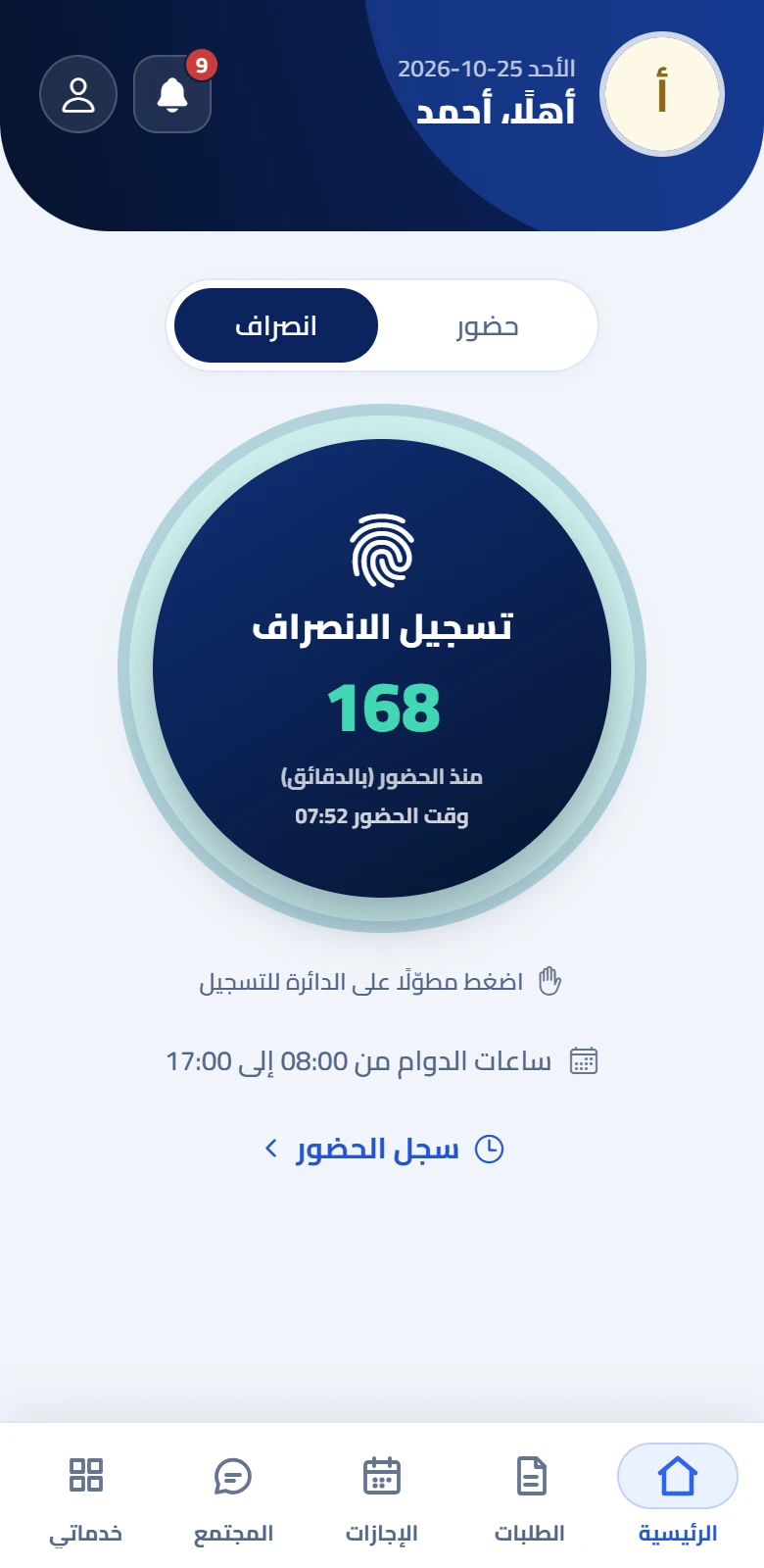
On the company dashboard the moment it's recorded, with who is late and who hasn't punched yet.

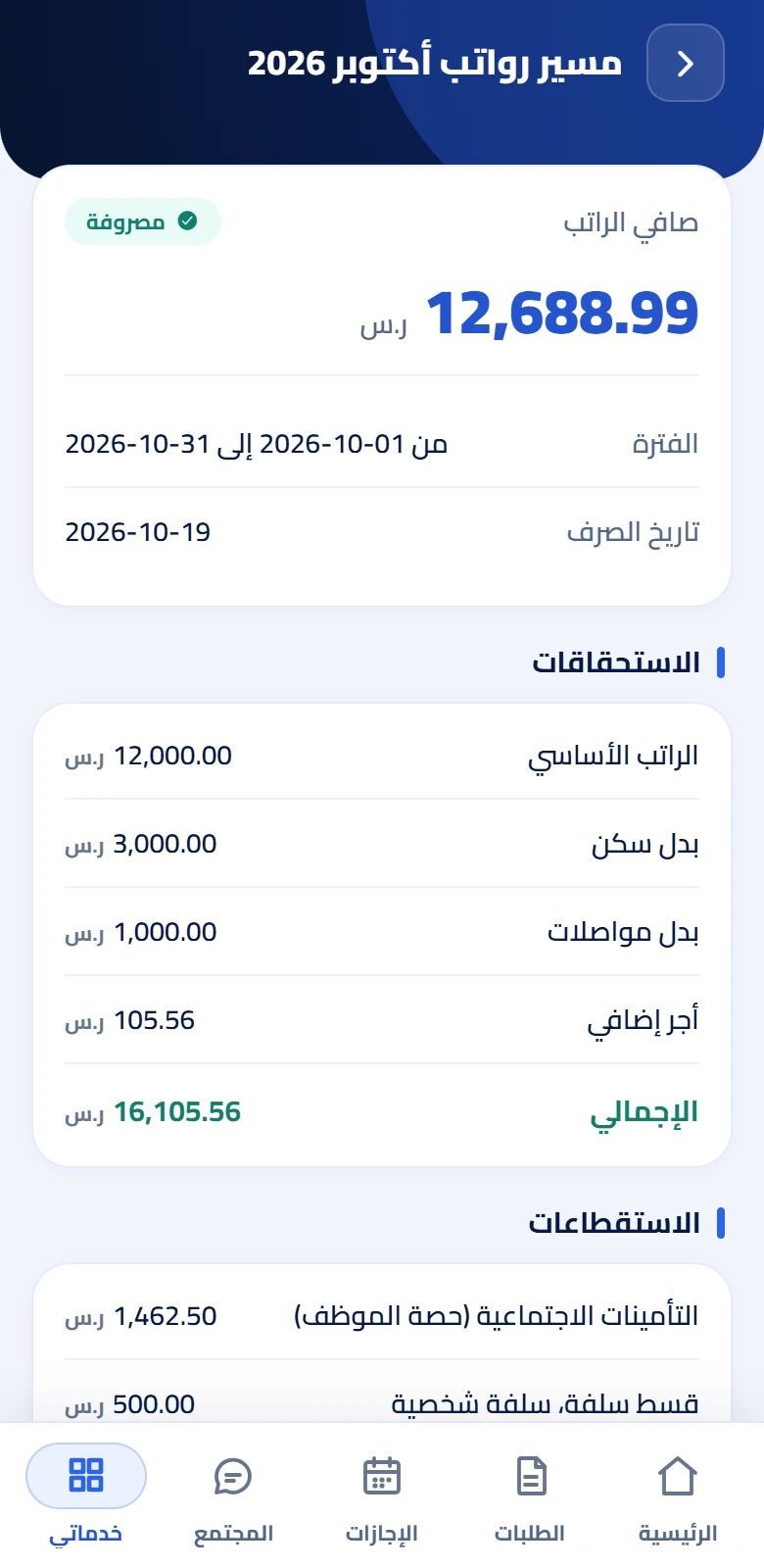
Lateness, absence and advances enter the month's payroll as separate line items, and the basic salary is never touched.

Only after the payroll is approved, the payslip reaches every employee's phone with a notification, with its items as the reviewer saw them.
A punch is accepted from the phone only inside the site geofence and from the employee's approved device, and rejected when location-spoofing apps are present; you can require face or fingerprint verification before it. The fingerprint devices at your sites link to the system so their punches arrive on their own, and a rejected attempt shows to management with the reason.
Attendance service details
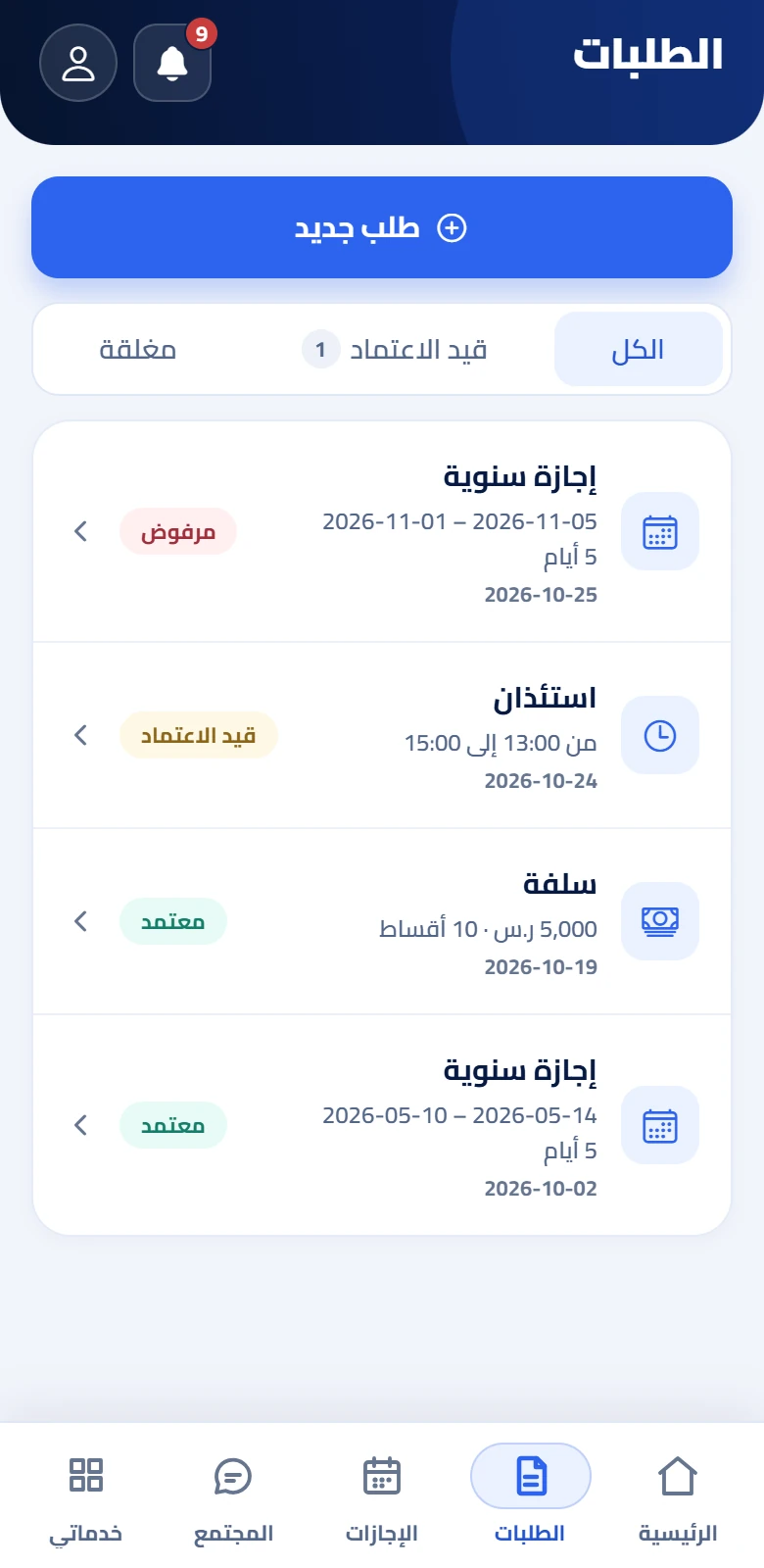
The employee submits a request from their phone and it goes to the direct manager then HR, or in the order you set per type, and the employee sees where it stands at every moment. On approval the effect applies by itself: leave on the balance, an advance on payroll, and a punch correction on the attendance sheet.
Requests service details
The system gathers absence, lateness, advances, allowances, overtime and GOSI contributions from the month's own data and makes each a separate line item, so basic salary is untouched and you know the reason for every riyal in the net. After you approve, payslips reach employees' phones, and you export the Wage Protection System file and the accounting entry.
Payroll service details
Each of these services reads from the same employee file, so you don't enter their data twice, and you turn them on when you need them without moving your data to another system.
ID, iqama, passport and contract in each employee's file, and company documents in theirs. You get a summary sixty days before expiry, then thirty, then seven.
Archiving detailsA careers page for your company, and a screening, interview and job offer flow where your team sees the same notes. The accepted candidate becomes an employee with their data.
Recruitment detailsReview cycles with your criteria, documented periodic check-ins, and self-review and 360. Whoever needs support gets a performance improvement plan with goals and a duration.
Performance detailsA task is assigned with a due date, its owner is reminded before and on the day. If it passes by the grace period you set, it escalates to their direct manager.
Task detailsThe system spots lateness and absence and suggests a warning per your policy's ladder, and the employee acknowledges it from their phone or objects within the deadline. Complaints have a response deadline, and announcements show who has read them.
All featuresWho's absent today? Whose iqama expires within a month? The assistant answers straight from your company's data, and shows only what your permissions allow.
All featuresAttendance, leave, payroll, documents, employee turnover and warnings, filtered by site and period, exported as a spreadsheet file.
All featuresEmployees punch in, submit and track requests, and see their payslip, leave balance, documents, custody and tasks from their phone, with no need to log in to the web. The app is in Arabic, English, Urdu and Hindi, and runs on one approved device per employee.
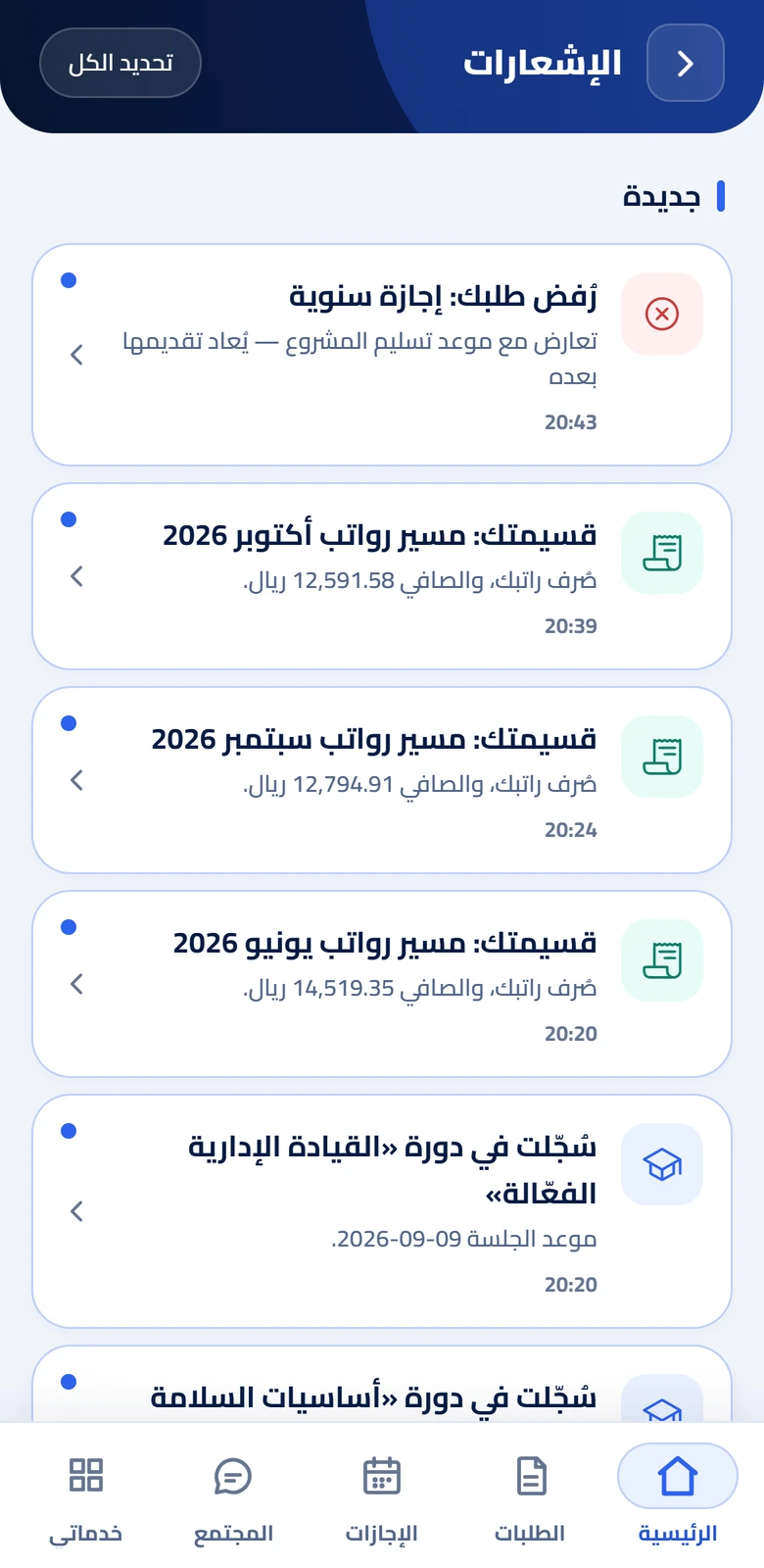
The rep starts their shift from the app, their location shows to their supervisor on the map, and every customer visit is logged with its place, time and photos. Tracking runs during the shift only, and the rep is a full employee in the system: attendance, pay and requests in the same place.

Each company sits in a space isolated from the others, so no user can reach another company's data. The connection is encrypted, backups are encrypted, each user sees only what their permissions grant, and every change is logged with who made it and when.

Link the fingerprint devices at your sites, export the Wage Protection System file and the accounting entry after payroll approval, and import your employees in one go from a file. It integrates with Mudad, GOSI and Muqeem, with accounting systems such as SAP, Odoo or Microsoft Dynamics 365, and with your other systems through an API.
Compatibility and integration details Compatibility and Integrations






We show you the system on a scenario like your company: your sites, shifts and requests.
Pick the services and the number of employees and reps.
Import them from a file, set their sites and shifts, and turn on the app for them.
In the demo we walk through a full day in your company: the morning punch, a request, the month's payroll, and the rep in the field, on data like yours.