Inside the platform
HR work is a chain of small decisions that must each leave a trace: who asked, who agreed, what changed in the file, and when what needs renewing ends. So TAC HR builds these decisions around the employee's file itself: every request, warning, document and review goes back to one file, and every change shows in the audit log. This page explains what happens at each stop in your work, what the system proposes and what it does not decide for you, so that before you start you know what you will find ready in the morning and what stays in your hands.
01
The file, import and permissions
You start by moving your staff in from an Excel or csv file in two separate steps: a check that shows a preview and writes nothing, then a confirmation that writes. Each row is checked on its own, so a bad row does not sink the file and its error appears at its line. Then permissions are assigned: each team member gets an admin group the company sets with its permissions, and a scope of one or more branches or departments. So an HR officer for one branch sees only that branch's staff, while the holder of the full permission sees the whole company. Every change is logged with who made it and what it was before and after, and attendance is corrected under a dedicated permission that not every admin holds.
02
Requests and letters
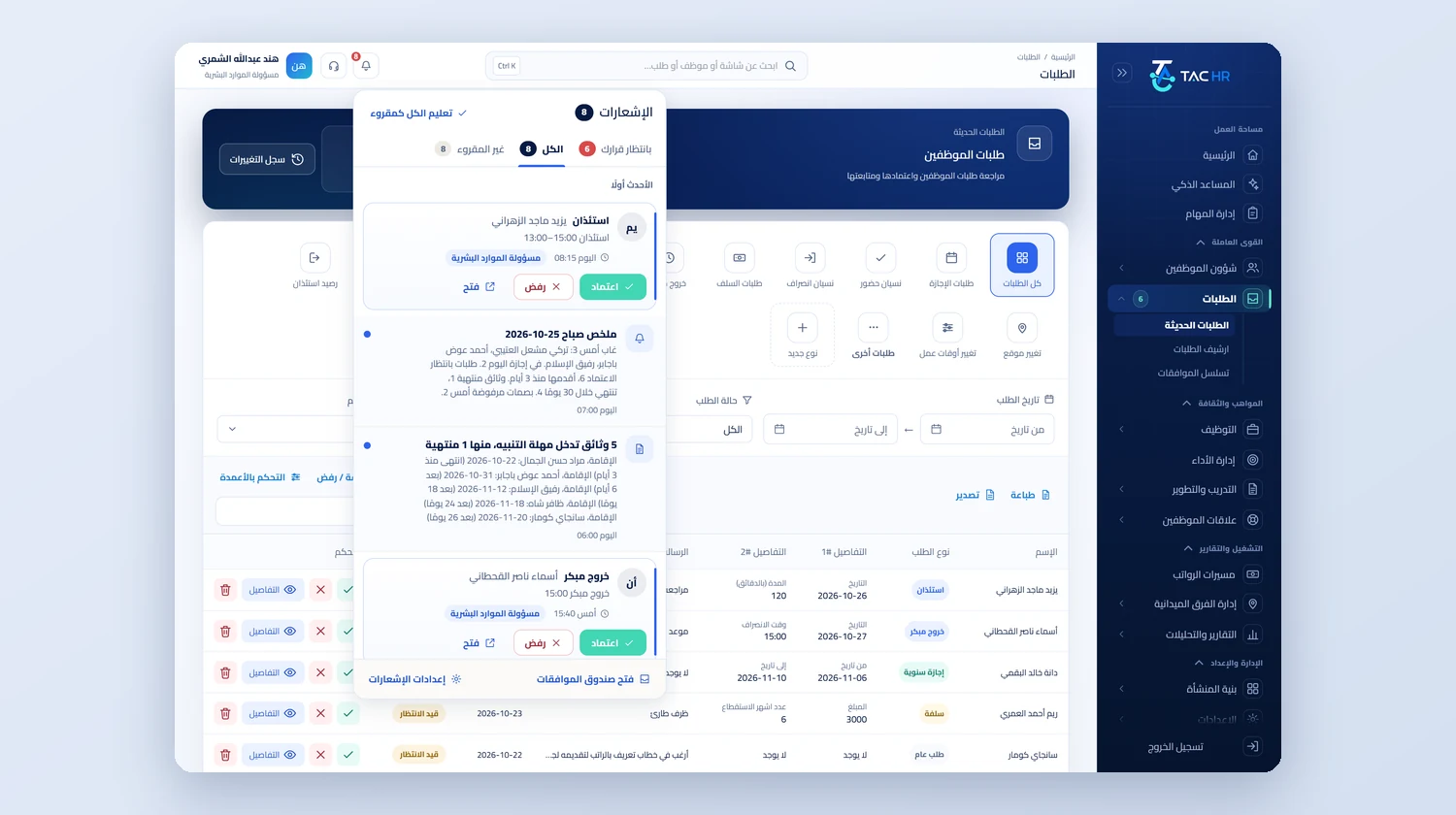
Requests are ready-made types and types the company adds in Arabic and English, and each type has an approval route with sequential or parallel steps, by role, user or direct manager. Every request has a chat between the employee and HR with attachments, and you raise a request on an employee's behalf if they are within your scope, such as a forgotten punch. Automatic approval within limits stays off until you switch it on. A salary letter, an employment letter, an experience certificate and a contract copy are produced as a PDF after approval and saved in the employee's documents, with both the Hijri and Gregorian dates. Closed requests move to the requests archive.
03
From the advert to the employee file
You post the job on a jobs page that carries your company's identity, and each job has an apply link. The system screens applicants with a score and written reasons, but it rejects nobody and only ranks, and the decision is yours. You move an applicant through the hiring stages from new to Hired. When you fix an interview time, or the candidate picks one, they receive an invitation with a calendar file. Then they get a job offer with a single-use reply link, and when accepted, the Hire button or dragging them to Hired turns them into an employee file, so you do not re-enter their details from scratch. You write your notes on the candidate and their interview result on their card.
04
Warnings and reviews
A daily engine reads lateness and absence events each morning and moves the employee up a step on the penalty ladder, and the company chooses whether the action is issued directly or proposed for review. What needs acknowledgement, a notice, a warning or a final warning, is not counted as received by being opened but by an Acknowledge receipt button on the phone, and if days pass without one the direct manager is alerted, and the employee then has an objection period. In performance you open cycles with criteria and weights, calibrate results with a written reason before approval, and collect the 360 without revealing the reviewer and never showing it under three reviewers, and a weak plan ends in a decision, not an automatic action.
05
Documents, contracts and exit
Employee and company documents are checked every day at 06:00, so you get 60, 30 and 7-day alerts and then one at expiry, and the employee gets a notification about their personal documents. A contract has a renewal proposal the system opens ahead of its end, once per contract: a renewal extends the date, or a non-renewal closes the proposal with no silent extension. When service ends, the termination takes effect on the last working day rather than the moment of approval, and the settlement works out unpaid salary days, leave balance, the award, loans and custody and prints as a document for the employee, so resignation, clearance and settlement sit in one route.