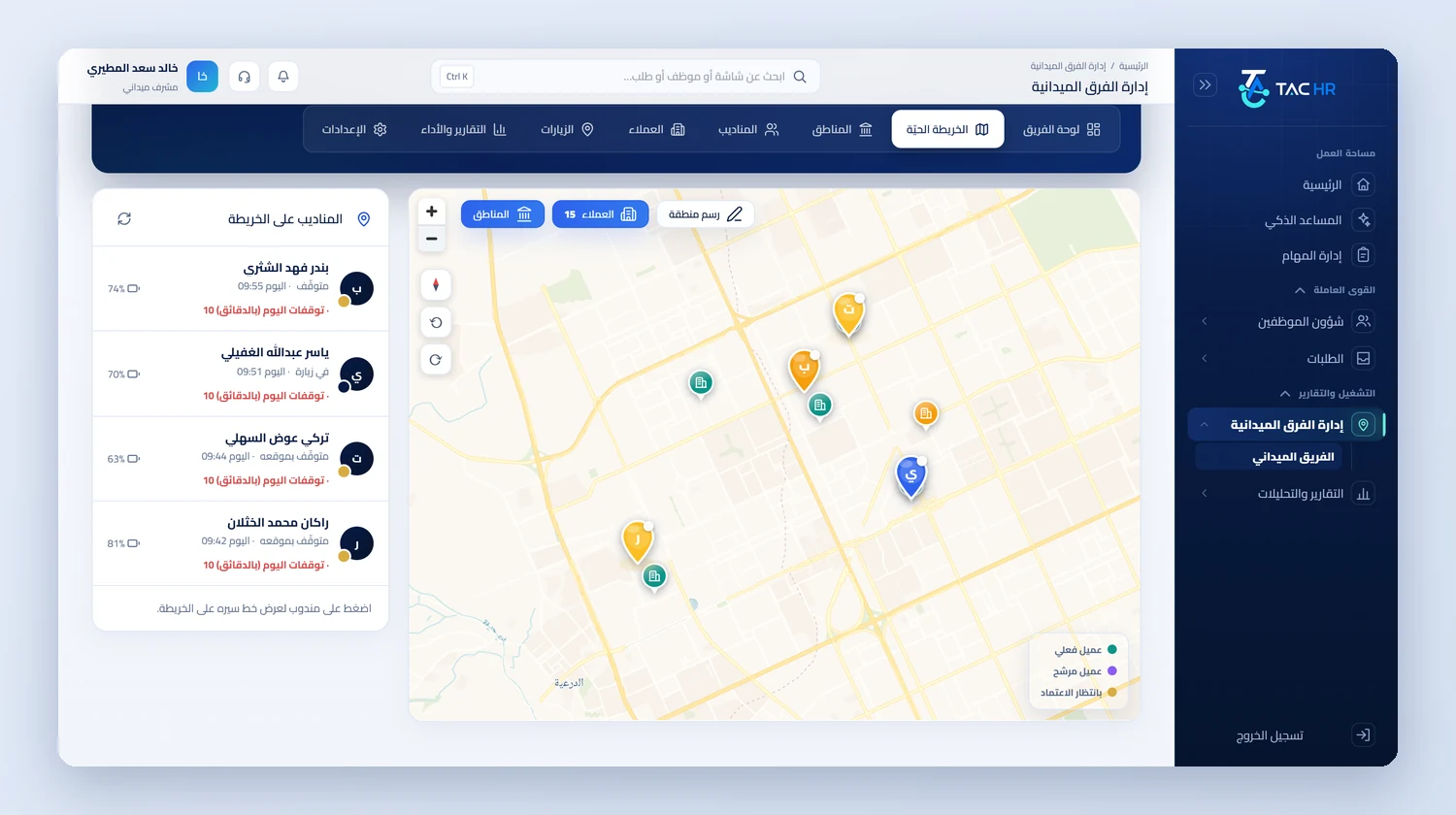
Inside the platform
Rep tracking fails when it becomes a parallel system: another attendance sheet, another account, another app. So TAC HR builds it on the employee: the rep is an employee in their file whose tracking is switched on with a key, and they see their field screens in the same employee app. The supervisor reads what happens between the start and the end of the shift on one dashboard. This page explains how that runs from switching on to review, what the system decides, what stays in your hands and what it does not do, so before your reps start you know what you will see and what will not reach you.
01
A rep is an employee, and the seat comes from the subscription
A rep does not get a separate account. You pick an existing employee who has a mobile account, or switch on the Field employee key in their file, and both routes pass through one point that saves the switch with the employee in a single transaction so they never drift apart. Each subscription has a number of rep seats, and when they are full a message says so and no new rep is switched on until another is stopped or seats are added. A stopped rep takes no seat and their device link is released, while their visits and shifts stay in their record. Identity and phone details are managed from the employee file, so the rep's name never differs between two screens.
02
The field shift is a check-in
When the rep starts their shift their punch is recorded as attendance like any employee's, passing the device and spoofed-location check, and their lateness and early departure are counted on their own shift and reach the run. Before the first shift the app asks for consent to track their location during the shift, and consent is required to start. So tracking begins at check-in and stops at check-out or when the rep ends their shift. Someone who has not checked out by the check-out limit has their field shift closed and a forgotten check-out recorded like any employee. The app keeps up to 3,000 tracking points on the phone when the network drops, then sends them, and a silent notification restarts tracking if the phone stopped it.
03
A visit whose location the system decides
On arrival the rep picks the customer, so the app sends its coordinates and accuracy, and the system measures the distance to the customer's approved location, because the app never decides verification and the verdict is only reached against a location the manager approved. You set the visit radius between 20 and 2,000 metres with 150 as the default. The visit is inside, outside, or Location check inconclusive when the error band of the reading straddles the radius. A visit is not rejected but recorded with its mark and distance, so you see each visit as it happened. A spoofed location cannot register a visit, and a customer added in the field waits for your approval.
04
The live map, the path and reports
The Field team dashboard shows every rep on shift: moving, stopped at a location or in a customer visit. Path points pass a three-stage clean-up: an accuracy gate drops coarse readings, a speed gate drops an isolated jump, and dwell clustering stops a parked phone from scattering, and then the path is drawn on the roads for display only, while distance, stops and coverage stay on the cleaned raw points. Visit, rep attendance and zone reports are exported as PDF. The zone-exit alert runs on the rep's device alone and stays off until the company switches it on.
05
Zones, customers and activities
You draw the zone on the map and assign it to a rep with a window that has a start and an end. Its coverage is measured by two signals: how many customers inside the zone the assigned rep visited with a verified visit, and how many of the zone's cells their actual path passed through. A day before the window ends, if coverage is incomplete, the rep gets an alert, and the manager does if it is below half. A customer has a category, several locations and contacts, and a Google Maps link sets its location. A visit carries eleven ready activity types with their fields, among them a quotation with its value, a collection with its payment method and an order delivery, and the company adds its own. An activity is a follow-up record, not accounting