Inside the foundation
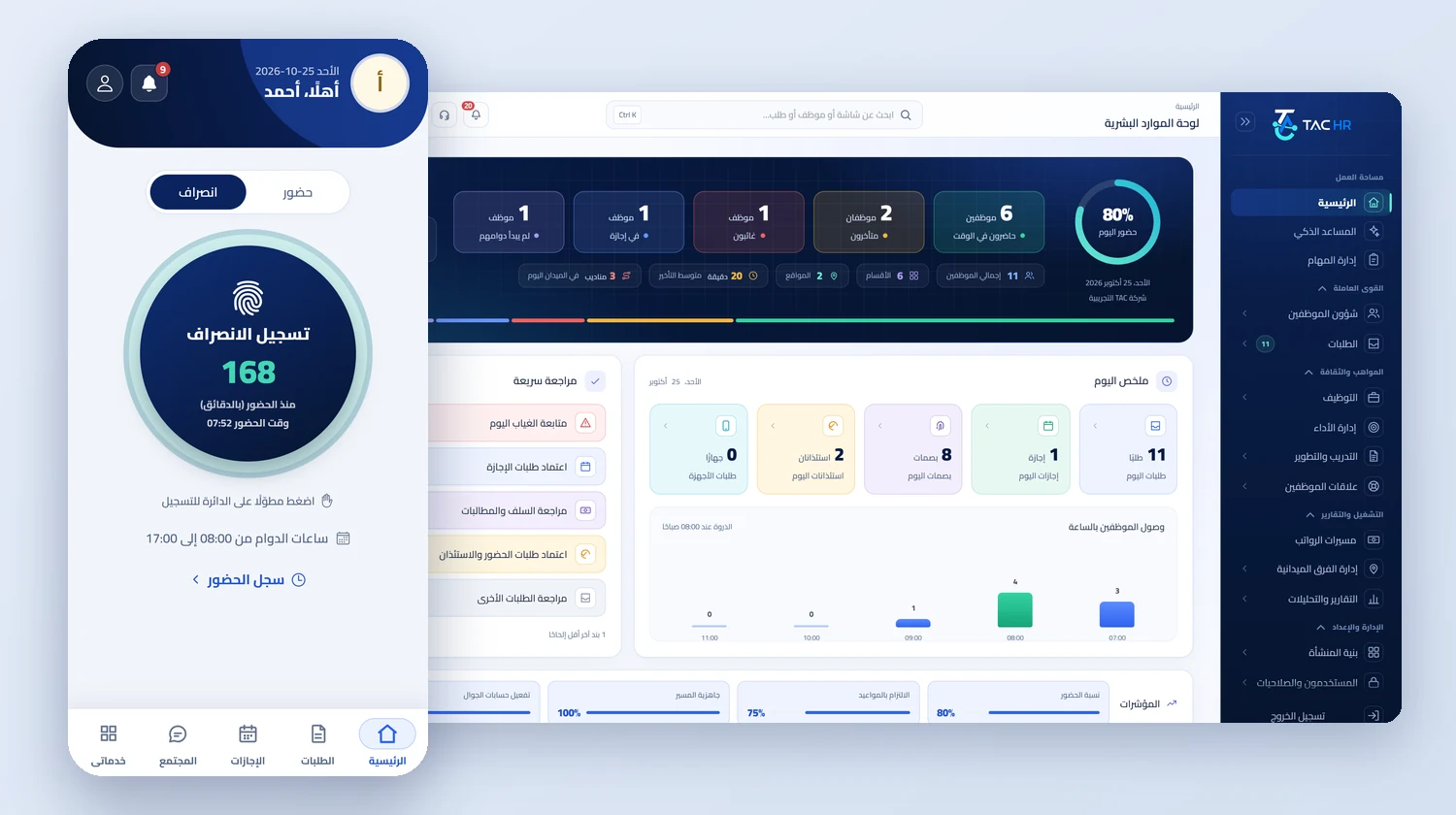
Every service in TAC HR reads from the employee file and writes to it, which is why the foundation is the first thing built and the last thing you give up. A leave the manager approves enters attendance, a punch enters payroll, and an approved review reaches its subject's file. The foundation is what makes this possible without copying data between two programs: one file per employee, users with permissions limited by branch and department, settings your company controls, notifications that reach their owners, and a way to bring in employees in one go. It is included with any subscription with no line on the invoice, because the invoice is built from the prices of the chosen services alone.
01
One file that gathers the employee
The employee file opens on «Overview» with what needs your attention and the counters of what is pending, and from it lead seven more tabs: personal data, schedule and attendance, leave and requests, finance, documents and custody, performance and development, and employee relations, most with sub-tabs such as leave and its settings, advances and deductions, and violations and penalties. The link remembers the tab and the sub-tab, so you copy it and send it and the same spot opens. In «Personal data» you find identity, contact, address and job, and in the contract its start, end, length, probation period and notice period, on a timeline that places today between those dates. A contract with no end shows its length as «Open-ended».
02
Permissions reach down to the branch and department
The system has 111 permissions spread over 24 groups: the employee list, employee details, working hours, employee requests, sites and branches, departments, performance, training, admin accounts, reports, payroll runs, settings, fingerprint devices, subscriptions, tasks, hiring and more. Permissions are gathered into admin groups: «System manager» holds them all, and you define new groups with whichever you choose. You then add the user and assign their group, and choose the branches or departments whose employees they alone see; an empty scope means all sites and departments. Important operations are recorded in the «Company activity log». The employee, by contrast, has no web account and signs in from the mobile app.
03
Company structure and its settings
The company builds its structure from sites and branches, departments and job titles, and one establishment can hold several companies, with each company's settings read from the company the user works in, so one company's settings never mix with another's. From «Approval sequence» you decide who approves each request type, and from «Request types» you add types to the built-in ones, which carry a real effect in the system and cannot be deleted. In «Mobile app» you turn on the screens and request types your employees see, and in «Notifications and automation» you set alert windows and report schedules, and in «Integrations» your company's own mail. Each service's own settings, such as attendance, payroll and performance, appear with that service, not with the foundation.
04
Notifications, a morning digest and emailed reports
A notice reaches the system inbox and the employee's phone, and arrives by email from the platform or from your company's own mail if you configure it. Every day at 07:00 Riyadh time the system builds one digest per company: yesterday's absences and who is on leave today, pending requests and the oldest, documents that have expired or will within 30 days, open settlement drafts, late reviewers, and punches rejected yesterday. The digest is not sent on a day when all its figures are zero, and it reaches holders of the report-viewing permission with no restricted scope. You choose weekly reports, which are attendance, leave and warnings, or monthly ones that add payroll, turnover and medical insurance, and they arrive by email as Excel files at the start of the week or month, one per report the recipient has permission for, and not to anyone restricted to a branch or department because the file covers the whole company.
05
Import and the smart assistant
You start from an Excel file or a comma-separated file, and the import takes up to 500 rows at a time and does not accept the old Excel format, so you save the file in the modern format. The preview shows every row and its errors, so you fix your file and upload again, and no employee is created before you confirm. The «Smart assistant» answers from the live database with the asker's own permissions, so an HR officer gets what they are entitled to and an accountant sees only what concerns them, and what it does not know it says plainly. It proposes five actions: approving and rejecting a request, correcting a punch, pausing automatic penalties and warnings for an employee, and filing a request on their behalf, each on a confirmation card valid for 10 minutes and under the permission that guards its screen.